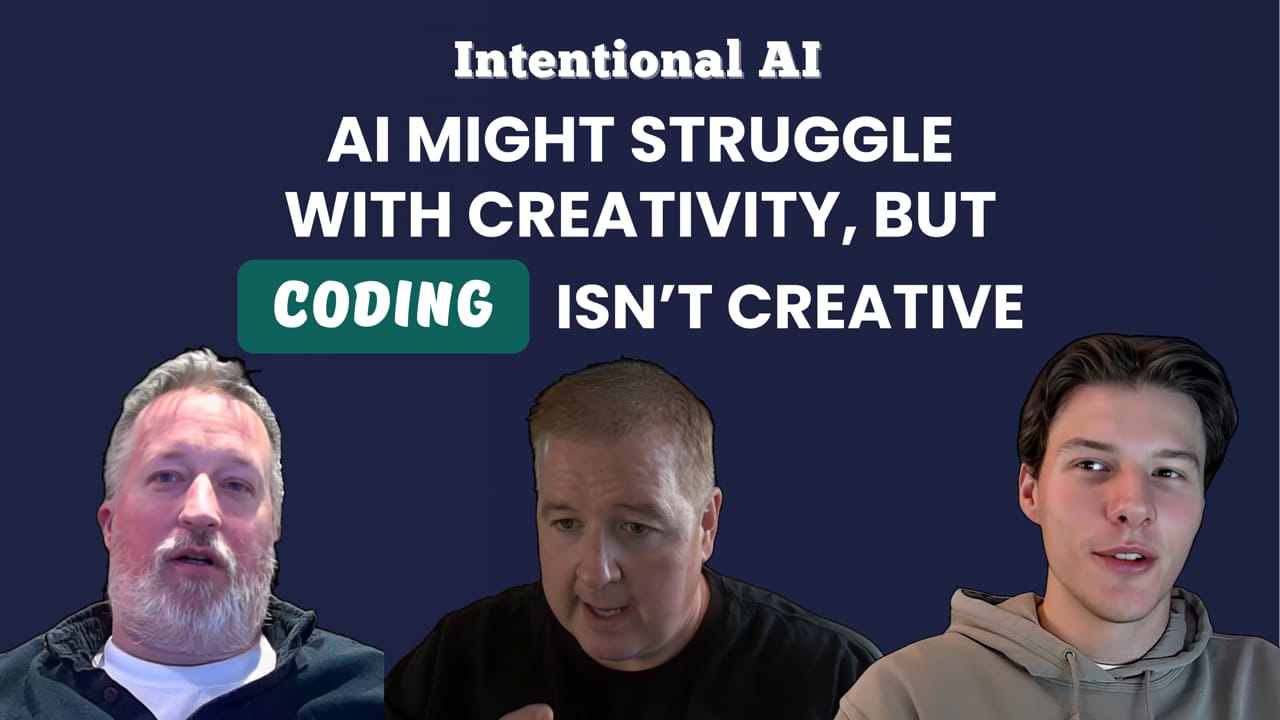
Intentional AI: AI might struggle with creativity, but coding isn't creative


Show Notes
Most of the Intentional AI series has tested AI in areas where judgment, creativity, and context matter a lot. This episode is a little different. Virgil, Cole, and returning guest Chad take a look at AI and web development, a domain where patterns, repetition, and known best practices are the whole point. On paper, that should be where AI shines.
Chad makes clear that for working developers, AI is already genuinely useful. Generating boilerplate, producing code blocks for well-understood functionality, and cutting down on time spent typing out repetitive structures. These are real wins. The catch is that getting value out of AI-generated code still requires knowing what you're looking at. If you can't read the output, you can't catch the errors, and you can't fix what's wrong.
That gap becomes more visible when you consider who these tools are being marketed to. The pitch is often aimed at business users and non-developers, promising a fast path from idea to working product. The episode digs into why that gap -- between what gets generated and what is actually usable -- is harder to close in code than it is in content or images. A piece of writing that's 80% there can be polished. Code that's 80% there can be a liability, especially if the person using it doesn't know what the other 20% is.
Virgil tested Claude, ChatGPT, and GenSpark against the same prompt: build a visually appealing, fully accessible accordion web component using the series source article. All three produced something workable. None were perfect. Claude handled screen reader accessibility well but had a JavaScript bug that prevented the drawers from opening and used a low-contrast color scheme. ChatGPT produced the most functional but visually flat result, with the worst screen reader compliance. GenSpark produced the most polished visual, with the most helpful follow-up prompts, and landed in the middle on accessibility. As Virgil put it, these were the least failures the series has generated, which is saying something.
Previously in the Intentional AI series:
- Episode 1: Intentional AI and the Content Lifecycle
- Episode 2: Maximizing AI for Research and Analysis
- Episode 3: Smarter Content Creation with AI
- Episode 4: The role of AI in content management
- Episode 5: How much can you trust AI for accessibility
- Episode 6: You’re asking AI to solve the wrong problems for SEO, GEO, and AEO
- Episode 7: Why AI can make your content personalization worse
- Episode 8: The real value of AI wireframes is NOT the wireframes
- Episode 9: Just because AI can create images doesn't mean you should use them
- Episode 10: The Super Bowl didn't sell AI, it exposed it
- Episode 11: AI video rewards planning, not your ideas
New episodes every other Tuesday.
For more conversations about AI, design, and digital strategy, visit https://www.highmonkey.com/podcast and subscribe on your favorite podcast platform.
(0:00) - Intro
(0:44) - Today's topic: Intersection of AI & coding
(2:46) - The "just type and get a website" myth
(3:44) - Where AI actually helps with coding
(6:08) - When "good enough" works and when it doesn't
(8:13) - The real win: Using AI as a developer
(11:06) - Tool test: building an accordion with AI
(13:14) - Testing Claude
(16:23) - Testing ChatGPT (Codex)
(18:25) - Testing GenSpark
(20:25) - Using AI to fix AI code
(23:11) - Tons of opportunity with AI and coding
(24:16) - Outro
Subscribe for email updates on our website:
https://www.discussingstupid.com/
Watch us on YouTube:
https://www.youtube.com/@discussingstupid
Listen on Apple Podcasts, Spotify, or Soundcloud:
https://open.spotify.com/show/0c47grVFmXk1cco63QioHp?si=87dbb37a4ca441c0
https://soundcloud.com/discussing-stupid
Check Us Out on Socials:
https://www.linkedin.com/company/discussing-stupid
https://www.instagram.com/discussingstupid/
Transcript
VIRGIL 0:00
Cole and I have spent a lot of time over many episodes bashing the heck out of AI. But what if we actually had something that kind of works? I'm not going to necessarily say perfect, but it's a lot of potential. So in today's episode, we're going to talk about coding, building something using AI. And I got to tell you, where there are a lot of issues and a lot of different ways that we use AI, this is the one that has the most potential. If this is a topic that interests you, go ahead and join me as we start discussing.
VIRGIL 0:44
Hey everybody, welcome back to the podcast. Today we're being joined by Chad as we talk about -- well, Cole, what are we talking about today?
COLE 0:54
We are talking about a topic that Chad is very familiar with. It is known as web development and the intersection of web development and AI, actually. So it's funny because I feel like the last few episodes we've kind of laid into AI a little bit -- it's been like videos and images and the Super Bowl. That was a fun one. But when it comes to web development, there's a lot of opportunity to use AI because it's so pattern based, recognition based, like that. So yeah, that's what we're talking about here today.
VIRGIL 1:34
Okay, Chad, I guess that's probably true. You probably know a little bit about coding -- just maybe a little. I agree. I think it's one area where AI can actually excel because coding is all about patterns and practices. Whether you're building a function, an app, or anything, it's kind of the pattern. And though there are sometimes different ways and different styles to code, overall you're doing the same thing.
CHAD 2:15
That's very true. And I think there's plenty of content out there for LLMs to search and match those patterns, and a lot of good practices that are repeated. So it's a pretty recognizable thing that you can put together.
VIRGIL 2:34
Yeah, I mean we use it some internally, especially if you're creating like a complex calculation or repetitive task type of things.
CHAD 2:45
Absolutely.
COLE 2:47
Yeah. But okay, the narrative I've been seeing in commercials is like, all you really need to know is an idea of what you want and then boom, a website's coded for you. Chad, how do you feel about that?
VIRGIL 3:07
How do you feel about that, Chad?
CHAD 3:09
I would love to tell AI what I want and just have it built for me. I feel like I'd have a lot more free time during the day. But I think its strength doesn't necessarily lie in building everything for you, because unless you wrote a 20-page description of what you wanted, I'm still not sure you'd get exactly what you want. But I think it helps in generating code that you can work with if you know what you're looking at and how to update it. That's a huge push -- just that generation of code blocks to get onto your project.
VIRGIL 4:03
Yeah. Well, one thing I think is very interesting, and just to let everybody know, back in the day I did code. So I do have some familiarity with this. But also from a testing standpoint, looking at your code for efficiency, finding things in there -- because we all know that when you start out if you build just like a ten-line app, that's fine, but everything grows and grows and grows. We've talked about looking at style sheets and looking for inefficiencies in coding files. And I think there's a lot of opportunity there. But you're right -- when we start talking about the testing, we'll prove that you can't just say, hey, here's what I want and it gives it to you.
COLE 4:56
Yeah. So I personally don't code, but I feel like if I did rely on AI to fully code, it would be like a lot of instances of a prompt and then a response or a problem response. And how soon before it just becomes this mess of generated code that there's not like an organized system for? I mean, when you're coding as a developer, I imagine you have a library of different assets and whatnot. There's a lot of considerations that need to be made. And think about how many websites and apps out there right now are like vibe coded, as the people say. So yeah, there's a lot of stuff to still be thinking about here, but it certainly lowers the barrier of entry with AI if you do want to code something. But obviously it's very important to have a knowledge base of your own as you're looking at and reviewing what it gives you.
VIRGIL 6:09
Yeah. I think one of the opportunities there -- and obviously one of the tools we're going to talk about is GenSpark -- you take that commercial we talked about in the Super Bowl where they kind of did like, I just created this kind of app and I just created that kind of app. Well, honestly, if you had an idea and some specifications for it and it was something you were using internally, where maybe you don't have a lot of expectations about how well it works, that might be a great opportunity. But as we find with everything AI, when you're looking to create a polished product, like what marketing groups or public website teams would want, it tends to leave you lacking. And there is that interesting dichotomy -- we've talked about a lot of different parts of this process where it's like, well, if it gets you 75%, 80% of the way, you can take a piece of content and do something with that and polish it. Coding, on the other hand, the entire concept around this is about getting rid of people like Chad. I mean, developers tend to be bottlenecks inside of organizations. You're always like, well, we'd like to do this, but we're waiting on our developers. So if somebody tries to build an app or some component for a website and it doesn't build it the way they wanted it, unless that person just happened to be a coder themselves, it's not like they're going to break open the JavaScript file and start tinkering with it. So it's a great opportunity, but at the same time it's probably going to have a lot more pitfalls for a business person trying to do that. And that's what all those advertisements kind of gloss over.
VIRGIL 8:09
Well, if it's not perfect, who's going to make it perfect in the end?
COLE 8:16
Yeah. I just feel like using AI for coding as a developer is the real opportunity here, because you can take a lot of the repeatable things that you do on a consistent basis, you already know the workflow, you can define that and then maybe spend more time in other areas.
CHAD 8:38
Yeah. I would say that's my primary use of AI in coding -- just generating the blocks that I know I need. I know how to describe them, I know what the functionality needs to be, and I know how to fix those things if they don't come out quite perfectly. But just typing out the lines or finding those blocks to just write the code -- sometimes there might only be a dozen lines of code to do something simple, other times you might have 20, 40, 100, 120 plus. It keeps going. The more complex you get, the time saving on generation is big.
VIRGIL 9:24
It's big. But again, the important part is you know what you're doing and you can look at the code and understand it. That's really a big thing. Especially considering a majority of our audience is marketers, communication folks, and business folks -- they're not going to have that level of understanding. And if you start getting AI to generate it and then you go to your dev and say, well, it almost does everything, please take this -- Chad, you know how we feel when we have to look at other people's code. Sometimes it can take twice as long as doing something yourself.
CHAD 10:01
Yeah, it can certainly be a maze to track down functionality. If you don't know where everything is, you didn't write it, so you don't know where the pieces are and you have to reverse engineer it basically to figure it out.
VIRGIL 10:17
Yeah. And the one thing I did for our tests -- when we tested the three different tools -- I did not look at the quality of the code because I really feel like that's not really a thing for our audience. But it'd be interesting, because I gotta imagine the different ones probably coded it differently too. So now it's like, if you're going to use that, you almost have to lock yourself into a tool you like so at least there's some pattern to it. But I've never tried -- like, if you do it twice, would it code it differently? You know, like we see with a lot of other prompts that generate different responses in AI, would you actually get different code? Could be some interesting things that maybe Cole will have to do down the road sometime.
COLE 11:10
Sounds good. But yeah, each tool we did -- do you want to introduce the prompt you used across all three?
VIRGIL 11:20
Yeah, I'm probably not going to read the entire prompt because it was relatively specific. But basically one of the very common patterns out there on the web is an accordion -- and for anybody who's not 100% sure of what I mean by that, it's the drawers that open up. A lot of times people use them for frequently asked questions. You have the question and then you open up the drawer and get the answer. This is something we see a lot and do a lot for customers. So I was kind of curious, and I basically asked it to use that article we wrote many episodes ago and, based on that, grabbing the main points out of there, I said: create an accordion web component that uses that content, no more than five questions and answers, made it visually appealing, made it 100% accessible -- and if people are not watching the video, we're all smiling right now at this one -- and easy to use. Using JavaScript, HTML, and CSS. So those were the components. And obviously, feel like a broken record, but we got a mixed bag. Nobody was perfect, nobody was really terrible either, which was kind of pleasant. I mean, like when we did content creation, we've had those that have just been terrible. So I'll say that all of them could have been used, all of them could have been adapted by a developer and fixed relatively quickly to work for us. Would we use any of them? There's probably a little bit of a question there.
VIRGIL 13:20
So the first tool I tested was Claude. And that's really because Claude is kind of becoming one of my favorites -- their stuff is just so great. Actually had a little bit of difficulty doing it because Claude has been down a lot lately. But Claude made the component. It was very visually appealing. But they had a couple of issues. Number one, they created the five drawers, but you couldn't open any of them because if they open, they automatically close. There was some issue in the JavaScript -- it was making the drawers close as soon as you open it. So that from a visual side was not very good. And then the one area of accessibility that it completely failed in is color contrast. It used like three different shades of green, which I've done other things with Claude and that seems to be its go-to if you don't specify. And so it was a light green on a dark green, which is just inaccessible from a color contrast standpoint. But on the other side, when we tested it with a screen reader, it was the one that did it the best. It created the panels correctly, numbered them, made it very easy to go through -- if a panel was not open, you could not read the answer through a screen reader, which was important because that very much mimics a visual interface. So from that side, it did really well. But here's one of those areas, Chad. So I do this as a business person -- how easy is that going to be for somebody to fix colors?
CHAD 15:01
But the JavaScript -- again, depending on complexity, that could take a minute. For a smaller component like this, when we talk about just a single component piece of functionality, something like that would be pretty quick. I think you'd figure out if there's some prompt to close all the drawers before you open the new one, maybe that got transposed or there needs to be some sort of delay in there -- but it's knowing where to look and what. And honestly, going back on your own bugs that you've made as a developer -- I said, oh, I've actually done this before myself and I know how to fix it.
COLE 15:56
Yeah. So unfortunately I looked at the drawers as well, mainly for the content side of things. Couldn't really tell how good the Claude content was because once you open it, it would close automatically. But yeah, Seth and I -- he's been on the podcast before as our QA specialist here at High Monkey -- it was very interesting to see how the screen reader responded to these drawers.
VIRGIL 16:27
Absolutely. Second tool we did was ChatGPT, and much like what I've experienced with ChatGPT, the drawers worked. It did it, it had content in there. It was by far the most boring layout, very plain, but it also was the only one that didn't have any color contrast issues on the page, which was kind of nice. And overall it did its job to a minimal, I'll say. It had the smoothest drawers. Using it -- I wouldn't use it just because I thought it was kind of ugly -- but from the screen reader side, it didn't do so well. It had a lot of problems opening the drawers and doing that kind of stuff, and it had the least amount of compliance from that side. There were several errors on that.
COLE 17:22
Yeah, that's the real accessibility rabbit hole when it comes to using AI for coding. Because if you're going to have it generate a drawer that looks all pretty and nice, and someone comes in with a screen reader, they open the drawer, it reads the question again, and then you tab over and all of a sudden you're halfway through the content and the actual question -- the answer itself -- it's just kind of disorienting when that type of thing happens.
VIRGIL 17:54
Well, and one of the things -- obviously we've been doing accessibility for a long time, but something I don't always think about is how, like Seth pointed out, the drawers weren't numbered correctly. And that can be very important for a screen reader user. In the Claude one, it was numbered very well. There were still improvements you could do, but overall, if you fix that animation issue and the color contrast, it was probably the most usable out of all of them. But the one that really surprised me, not only in its slickness but just in using it, was GenSpark. You and I obviously made a lot of fun about it from their Super Bowl commercial, but it was really interesting to see. By far the most visual out of the three -- the nicest looking. The animation worked.
VIRGIL 18:53
It was a little bit clunky. It kind of had a little bit of a jerky thing on it, but that's something that would be easier to fix. It used good colors. It did have one contrast issue, but it actually wasn't in the accordion itself -- it put some text at the bottom showing the source of the content and did it in dark gray on a light gray background. So that wasn't really a thing in the main component. And from a screen reader standpoint, it was kind of in the middle -- it almost did as good as Claude, but not as bad as ChatGPT. But one of the things I thought was interesting, and I'd be curious about this, Chad -- GenSpark gave the most interesting additional prompts. You know, how sometimes you get done and it'll sit there and say, do you want me to do this? It was like, do you want me to create a smoother animation? It's like it even knew the animation was not good. And it said, do you want me to make a mobile-responsive design of this with touch-friendly interactions? I mean, they were very useful things. And I think that's actually one way that AI is starting to get better -- using previous prompts and saying, can I improve this for you? But I'm curious how much you use AI to fix problems with AI.
CHAD 20:37
I do. I'll reprompt something if I look at it and say, this is close to what I want but I know certain pieces are missing. And again, it's because I know they're missing that I'm prompting. But I like those prompts where it says, we have other options -- you might not know about X, Y, and Z that you can do differently here. So let's give you the options. Smoother animations, mobile responsive, what kind of interactions do you want, et cetera. I think that's important because there's a lot of variability in what an accordion is. Even just something that simple -- how it works -- and they were probably coded differently, and I can say that just based on knowing the screen reader didn't work on ChatGPT. How you show and hide content affects screen readers and accessibility. So yeah, reprompting and fine tuning is an important step in getting that out there.
VIRGIL 21:58
Well, and I think that's the thing. How many times have we worked with customers who know something, but not a lot. This could end up being a really great solution for those people who maybe don't know exactly how to do it or don't have the time -- but if they needed to crack open the file and change a color or edit the HTML or something, they could do that. But they don't have the knowledge to do some of that advanced stuff. So I think it's going to be on a curve. Overall, when you get there -- like GenSpark, and I keep going back to that because it's a tool built basically around coding for AI -- they had a bunch of templates of different things that other people have built. I imagine any of the ones mentioned in the commercial are probably one of their templates that have been refined and fixed by other people, that you could then use to start building things. So I think, above and beyond every other area where we've seen just a ton of failures, we saw failures here too, but I'll say these were the least failures we've seen out of almost anything we've generated with AI. There's a lot of potential. And I went with a very simple few-sentence prompt. I didn't do a lot of extra work, which has always been the purpose of this. But I think there's a lot of opportunity there if you refine that and figure it out more specifically -- and even more so after that first iteration, seeing what worked and what didn't. One of the things I also liked about both Claude and GenSpark is they let you preview it in the browser right there so you can test it. ChatGPT produced the code as three separate files. So I had to create a new HTML file and copy and paste everything in there, and you had to have knowledge on how to do that -- where does the styles go, where does the JavaScript go. So I think ChatGPT continues to show me that they're just behind.
COLE 24:29
I think the real question is, as per the GenSpark Super Bowl commercial, will you be able to tell it, I don't want to work today and just have it do all this stuff for you?
VIRGIL 24:41
Yes. Yeah, probably so. Well, anyway, great conversation. I think this was a very interesting topic. Chad, thanks for joining us as always.
CHAD 24:50
Absolutely.
VIRGIL 24:51
Thank you everybody and we'll look forward to talking to you next time.
COLE 24:55
Thanks all.
VIRGIL 25:01
Just a reminder, we'll be dropping new episodes every two weeks. If you enjoyed the discussion today, we would appreciate it if you hit the like button and leave us a review or comment below. And to listen to past episodes or be notified when future episodes are released, visit our website at www.discussingstupid.com and sign up for our email updates. Not only will we share when each new episode drops, but we'll also be including a ton of good content to help you in discussing stupid in your own organization. Of course, you can also follow us on YouTube, Apple Podcasts, Spotify, or SoundCloud, or really any of the other favorite podcast platforms. Thanks again for joining and we'll see you next time.
Latest Episodes

The new WCAG 2.2 rules you're already breaking (part 2)

The new WCAG 2.2 rules you're already breaking (part 1)
Season 4: The Teaser
Sign up for Discussing Stupid updates
Get the latest Discussing Stupid episodes, expert insights, and exclusive content- straight to your inbox