
A Tour of Strapi


We are excited to now offer Strapi as a CMS option within our consulting services! Strapi (https://strapi.io) is a headless CMS that offers speed, ease of use and rapid, no-nonsense content management. This blog post will offer a quick tour of the look and feel of Strapi as well as its functionality.
One of the first benefits of Strapi is that it is offered in two flavors of hosting: a Cloud based offering, starting at $99 per month, or a self-hosted option. Being a headless CMS, this covers the “backend” only and does not include any public facing web frontend display. The most impactful features of the cloud offering are:
- Basic support directly from Strapi
- Automatic backups
- Email service preconfigured
- CDN for assets
- 150GB asset storage
If one chooses the self-hosted option, there is more to configure (backups, email etc.) and you lose the basic support from the Strapi team, but it is still a great option for budget-conscious customers.
Details of Strapi’s cloud offerings can be found at: https://strapi.io/pricing-cloud
Administrative Tour of Strapi
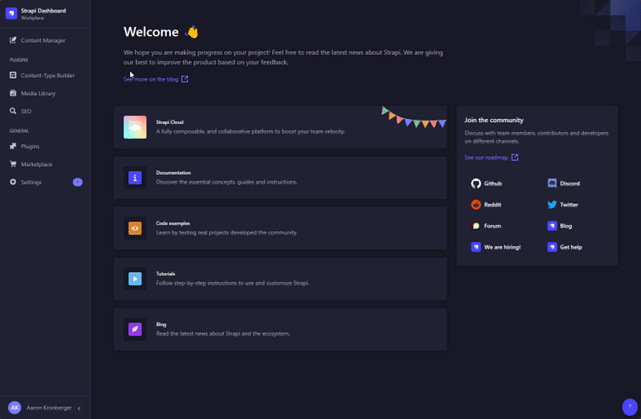
Next, we will tour what the CMS looks like to content managers and administrators. Out of the box, Strapi is a fresh slate, and contains no pre-configured elements as shown below.
Welcome Screen:
The Welcome Screen is the first screen you see after logging into Strapi, and displays useful links to Strapi Cloud, the Strapi Documentation and Blog among others. This is page is customizable to display other content as well. We can see along the left side of the screenshot the different areas of the CMS.
Content-Type Builder
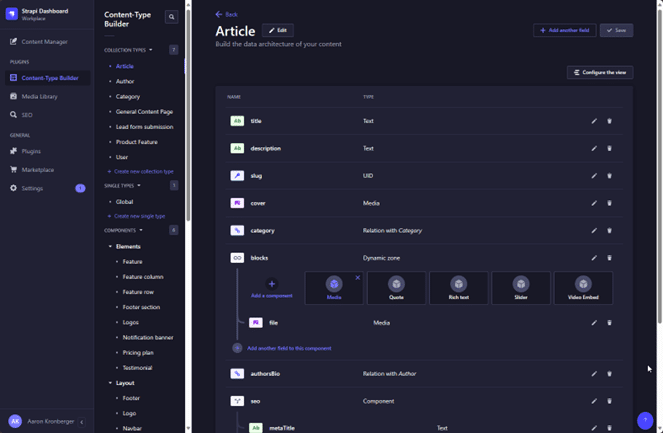
The Content-Type Builder is at the heart of Strapi. This is the place to create new types of content that will be displayed on the site. Seen below is an “Article” Content type, which is a common content type. Like other Content Management Systems, Content Types are composed of a series of editable fields that make each piece of content unique. In the screenshot below one can see we have a simple Title, Description, Slug (URL fragment), as well as a Cover image, categories, and other dynamic content.
Content Manager
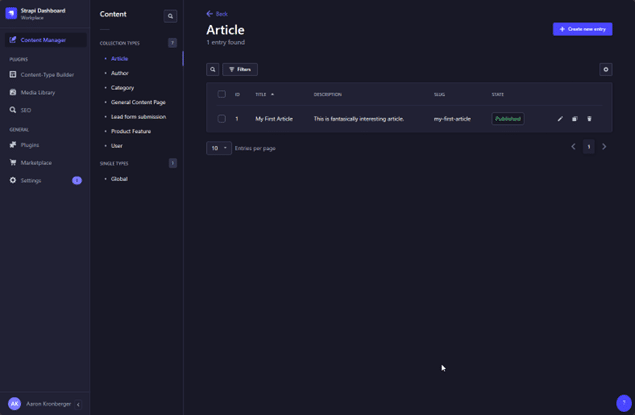
After creating a Content Type, the Content Manager is used to make new instances of that type. The Content Manager is presented with a listing of all instances of the content type, and editing a single item displays an editing interface that is simple and fast, yet effective. Text fields can be simple text with no formatting, all the way up to a full-featured WYSIWYG editor powered by CKEditor.
Additional aspects of the page managed here are SEO, URL, and publishing.
Media Library
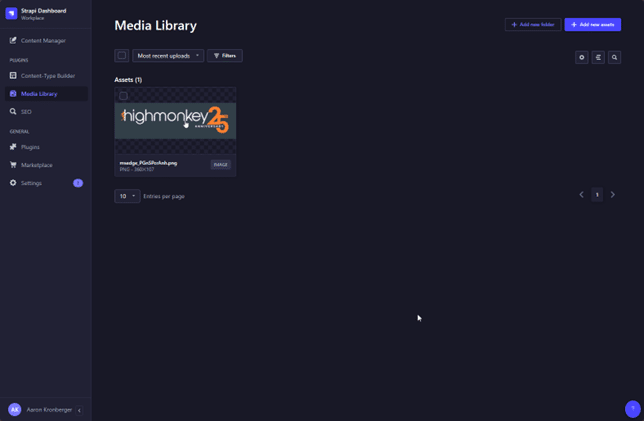
The media library is often one of the most used aspects of a CMS. Strapi offers a lightning fast media library that has content filtering and sorting.
Global Items
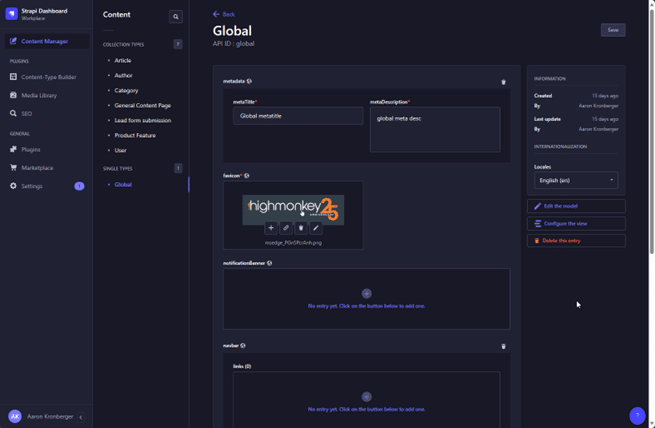
In addition to reusable content, Strapi offers “Single Types” which are intended to manage one-off configuration items among other things. This is the place to manage customizable site elements like the Favicon, Fallback metadata, Navigational configuration, and more.
Settings, API Tokens, Permissions and Roles
For the more developer-oriented folks, Strapi offers excellent out-of-the-box API Tokens, Permissions, and Roles management.
API Tokens and Permissions covers access rules related to who can access or modify Content types and their instances. It’s simple, effective, and powerful.
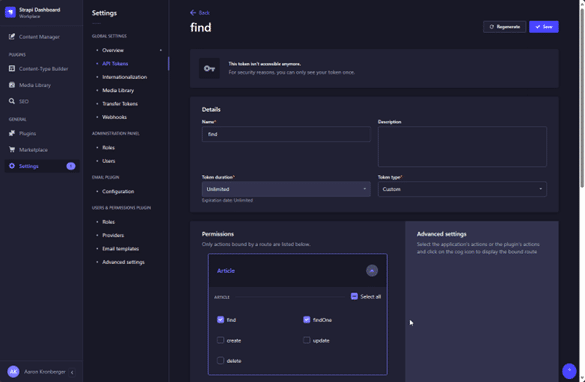
Roles can easily be added or altered to suit your needs. Typically, Author, Editor, and Super Admin are enough roles to meet most needs, but sometimes additional roles like “SEO Manager” or “Marketing Manager” may need to be added.
OTHER NOTABLE INFO
In addition to all the functionality that Strapi offers out of the box, Strapi's extensive ecosystem of plugins and marketplace offerings enhances the CMS's capabilities even further. Whether you need e-commerce integrations, SEO tools, or custom functionalities, you'll find a large variety of solutions to tailor Strapi to your specific needs. This flexibility and scalability make Strapi a versatile choice for a variety of web projects
Latest Blogs
High Monkey at M365 Twin Cities 2026

High Monkey launches a rebrand
.webp)
Inside the new OSA site
Your success story starts here
Contact us for a free consultation, and let’s work together to build a strategic plan that tackles your challenges and lifts your organization to a new level.