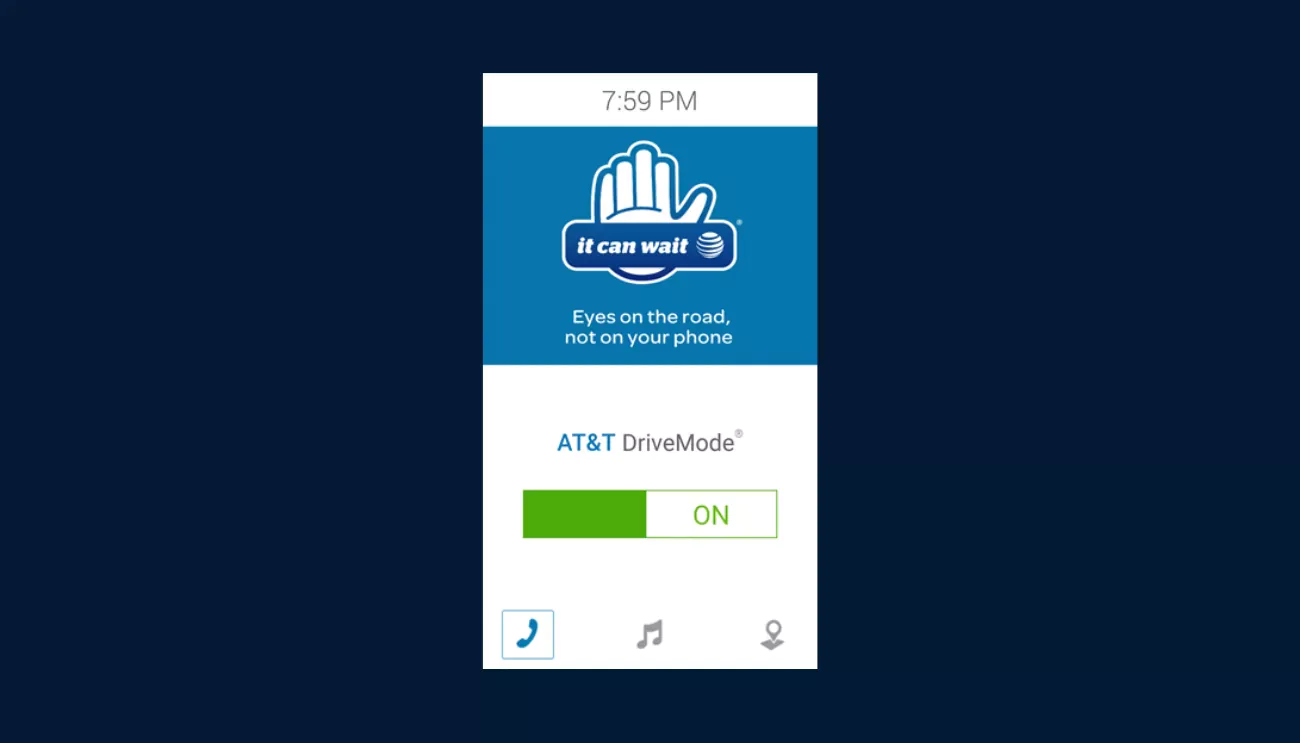
Stupid Usability #110 - AT&T Drive Mode


From the mind of Brian Haukos, Marketing & Project Support at High Monkey: I want to first begin this post by saying the thought behind this phone function is a great! There are many distractions for today’s drivers and I feel like I have seen them all, from eating, shaving, yelling at children, and especially people’s cell phones. I am glad that AT&T has taken it into their hands to try to prevent individuals from being distracted while on the road but this functionality may take it too far! Just to give you a little background on the app – "AT&T Drive Mode is a free app that silences incoming text message alerts so you can avoid distractions and stay focused while driving. The app turns on automatically when you’re driving 15 MPH or more and turns off shortly after you stop."
Just recently I spent some time in the Las Vegas area for a personal vacation. While in Vegas I had rented a car in order to see more of the city than just the casinos on the strip. Although I didn’t know the area at all, I figured it would be fine considering I have a GPS function on my cell phone right? Well not exactly. At first everything seemed great, I would type the final address in, start the GPS track from my current location and be on my way! This was great until the AT&T Drive mode kicked on. While driving out to Red Rock Canyon I looked at my phone to see when my next exit would be. To my surprise I saw the following screen. Although I think this app is a great idea, this completely defeats the purpose of having a GPS function on your phone. My suggestion would be to edit the app to allow the GPS function of your phone to run simultaneously while the app is in use! This would still prevent texts and other distractions from coming in while still allowing you to use your phones GPS function!
Latest Blogs
High Monkey at M365 Twin Cities 2026
High Monkey launches a rebrand
.webp)
Inside the new OSA site
Your success story starts here
Contact us for a free consultation, and let’s work together to build a strategic plan that tackles your challenges and lifts your organization to a new level.