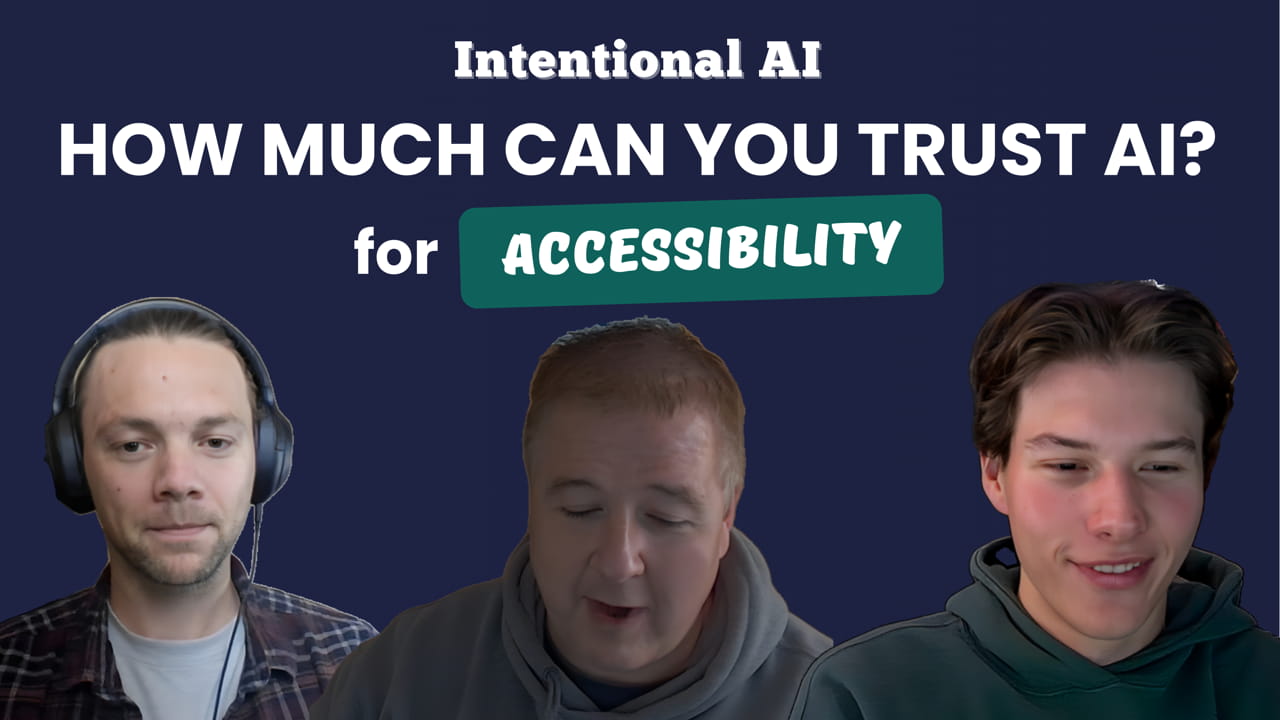
Intentional AI: How much can you trust AI for accessibility?




Show Notes
Accessibility is more than code checks. It is making sure people can actually use and understand what you create. The team walks through what happened when they ran the High Monkey website through an AI accessibility review, where the tool gave helpful guidance, and where it completely misread the page.
They also talk about the pieces of accessibility that AI handles surprisingly well, especially language, metaphors, and readability, and why these areas are often missed by standard scanners.
In the second half of the episode, they continue the ongoing experiment from earlier episodes. Using the same AI written article from before, they test how three tools handle rewriting it to an adult eighth grade reading level, then compare the results with a readability checker. The differences across models show why simple writing, clear prompts, and human review are still necessary.
In this episode, they explore:
- How AI evaluates accessibility on a real website
- Where AI tools give useful insights and where they misinterpret content
- Why conversational explanations can help non technical teams
- How to prompt AI to look for the issues you actually care about
- The importance of plain language and readable writing in accessibility
- A readability comparison using Copilot, Perplexity, and Grammarly
- Why simple content supports both accessibility and AI performance
A downloadable Episode Companion Guide is available below. It includes key takeaways, tool notes, prompt examples, and practical advice for using AI in accessibility work.
Upcoming episodes in the Intentional AI series:
- Dec 16, 2025 - SEO / AEO / GEO
- Jan 6, 2026 - Content Personalization
- Jan 20, 2026 - Front End Development and Wireframing
- Feb 3, 2026 - Design and Media
- Feb 17, 2026 - Back End Development
- Mar 3, 2026 - Conversational Search (with special guest)
- Mar 17, 2026 - Chatbots and Agentic AI
- Mar 31, 2026 - Series Finale and Tool Review
Whether you work on websites, content workflows, or internal digital tools, this conversation is about using AI with care. The goal is to work smarter, keep content readable, and avoid handing all of your judgment over to automation.
New episodes every other Tuesday.
Chapters
(0:00) - Intro
(0:46) - Today’s focus: Accessibility with AI
(1:20) - We let AI audit HighMonkey.com
(4:00) - Finding the human value in AI feedback
(6:25) - The power of strategic prompting
(12:33) - We tested 3 AI tools for accessibility
(14:49) - AI Tool findings
(18:17) - Keep all your readers in mind
(20:50) - Next episode preview
Subscribe for email updates on our website:
https://www.discussingstupid.com/
Watch us on YouTube:
https://www.youtube.com/@discussingstupid
Listen on Apple Podcasts, Spotify, or Soundcloud:
https://open.spotify.com/show/0c47grVFmXk1cco63QioHp?si=87dbb37a4ca441c0
https://soundcloud.com/discussing-stupid
Check Us Out on Socials:
https://www.linkedin.com/company/discussing-stupid
https://www.instagram.com/discussingstupid/
Transcript
VIRGIL 0:00
You know accessibility isn't just about checking boxes. It's also making sure everyone can actually use what you create. AI can help make content more accessible, or sometimes it can accidentally make it a lot worse. In this episode, we're going to look at how AI fits into making content accessible. Join us as we start discussing stupid. Hey everybody, welcome back to the podcast. We got another one, exciting one here for you. And as always with me here is Cole and Seth is also joining us.
SETH 0:46
Hello.
VIRGIL 0:47
Cole, I think we're going to be talking a little bit about accessibility today. So why don't you as always kick us off?
COLE 0:54
Yeah, for sure. So if you weren't with us for last episode, we took a pretty complex AI written article and then we had it translated into Spanish. And that didn't go too well because, it was super complex. So we thought, okay, let's take the article and, examine the readability and stuff with it. But there's a lot more to accessibility than just readability. There's, so Virgil, the other day you took our high monkey website and put it into AI to examine the accessibility. How'd that go?
VIRGIL 1:35
Yeah, it's funny because I mean, obviously accessibility has been something that has been a big concern for a long time. And yeah, I mean, I mean, we've used lots of tools and the tools do us very well. But I was kind of curious. I mean, I've done it in the past, but here I took, you know, the expertise page on our site and I had it, I said, look at this page and give me the accessibility issues. And interestingly, much like the technical tools we use, it gave some decent advice, but then there were some things that it didn't get right because it just was misinterpreting what's actually happening on the page and that. And I think that's a common scenario. And Seth, we see that a lot with just the tools we use in general, like WAVE and that. That sometimes it thinks something's an error that's not actually an error.
SETH 2:30
Right. Like some of those tools focus primarily just on the code on the site. And they miss, things like contrast errors that, might not be coded in there. It's just on the images that are on the page.
VIRGIL 2:46
It is funny. And one of probably the most hilarious things about the AI was it was talking about our content writers. metaphors and how metaphors can be misunderstood. And it's like, well, you know, this could be a problem. That's one of the things I love about AI is the way AI kind of approaches it. It's not telling you like, here's the problems. It's like, well, this could be a problem if you looked at it from this perspective and that. And you know, it's funny because it's supposed to mimic the human side of us. But the reality is, especially in this area, we tend to be much more definitive in our statements. we're not like, well, not having an alt tag can be a problem. Well, no, that's not true. Not having an alt tag is a problem in that. So, but honestly, some of the things that it brought up were legitimate. I mean, you know, the metaphors, you know, some of the readability of that stuff, you know, using a metaphor on a page is a lot of times misunderstood if you have somebody that's, English is a second language or somebody with some type of cognitive disability and that. And those are the things that aren't commonly talked about in the world of accessibility. They're not things that are normally brought out. But then it made assumptions. And I know, Seth, when you and I were looking at it, we kind of laughed because one of the things it says, it said, we're not sure if you have good header structure, but if somebody was looking at the page without looking at the code, are you using the headers right? Now, we know we are. But it was such an interesting observation. It's like, it's like, but then there were other things where it obviously was looking at the page code, you know, to try and call out things.
SETH 4:31
Yeah, that was a confusing bit for me of, you know, is it looking at the code? Is it not looking at the code? But clearly it was. And then also kind of giving that, maybe you should look at this to ensure, you're covering all your bases. And I think that's the big benefit to it for someone who doesn't have experience in accessibility testing is hearing those things from the AI that are like, make sure you check this, make sure you check this. Because there's really a lot to look at when you're looking at accessibility.
VIRGIL 5:05
Agreed. And that is one thing. I mean, where accessibility is really important. Most tools give out very technical explanations and technical things. And it's looking at the code. So, you know, if you're a marketing communications person, business person that's managing it, you're going to look at this stuff and go like, what the heck. And it's really interesting because I mean, even some of these tools that you pay for, like site improvement and tools like that, they still kind of deal with the technical aspect that, some of them give a little better advice on like what to do for something, but overall it can be overwhelming. So I agree. One of the things I actually liked about what the AI did is it gave a very conversational, you know, check these out. Here's the reason this could be an issue in that. And they said it more like a person would say it. wasn't perfect, but you know, I don't think it's the tool, but it could definitely be a tool in your toolbox for this.
SETH 6:02
Agreed. It's a good, it's a good companion to like hold your hand and walk you through it a little bit, but not be the keeper of all information on it. You know, it's not going to, you can't rely on it to be 100 percent accurate, but you can rely on it to kind of help you along because there's a lot to cover.
VIRGIL 6:25
Correct.
COLE 6:25
Yeah, it seems like it's kind of picking and choosing what it wants to be good at in terms of what accessibility it's testing for you. So keeping that in mind, do you guys think it's important to kind of, you know, identify up front what is the AI excelling in your testing and then like maybe do a prompt that centers in on those strengths and kind of avoid the, I don't know, inferred stuff or like the hallucinations?
VIRGIL 6:54
Yeah, I mean, I think you've got to look at the strengths of what it does. And so when we had to analyze a page, it called out some images that didn't have alt text, but that wasn't true. Those were alternate versions of images. And so the image tag itself for the picture tag that it was using already had the alt tag, but there were alternates and it saw those and did those. So there's some things it's just not going to do right if you're doing certain things. But yes, the thing I think, again, we kind of found most interesting was how it talked about the language being used and the structure of the site. It talked about the tab order and that prompted us to go look at the tab order in that page and notice that there were a couple things actually being skipped by the tab order, which should not be. And there's just things that kind of go along with that, I think are really good. But I agree. I think, much like we've talked about in all this, you've got to find the things that it can really do for you. And so maybe instead of just asking a general question like I did of kind of what this does for us in general, and looking at it from general perspective, maybe you're like, identify content issues, identify structural issues that you see, identify tab issues that you see and that kind of stuff. And kind of look at it and work it and say, okay, this works. I can verify this with other tools that this is an issue. And then go through and kind of set up your prompts. And I agree. I think, you know, one of the big things is kind of understanding how to create those prompts and that for that. Interestingly, I was just, I just saw an article today about AI where it was talking about how, and I believe it was Anthropic. I can't totally remember what company, but they hired a bunch of people that work in mergers and acquisitions and that kind of stuff, and they're paying them like 150 dollars an hour or something, basically to create ideal prompts and train the AI to be able to give better information about mergers and acquisitions and that kind of stuff. I see that as a very positive and I see that as, you know, the way it's going to get better in areas like this is by getting people to actually help train it. We definitely know that from our perspective, we have tools that we've used to be able to identify accessibility issues. But we've also had several clients that have had members of their team or people from the public that have actually had these accessibility challenges go in and test their pages. And it's always such a different perspective that you get from them versus even what we get from the tools. And you forget that it's not just about the issue itself, it's also about the context of the issue and kind of how the person would be. It really is still a usability thing just as much as it is an accessibility thing. Are we making it easy to use? I was just, you know, saw something about, you know, forms. And how a lot of times people don't have forms set up correctly. So when you receive an error message, it comes bright red on the screen for somebody seeing it, but behind the scenes, somebody using a screen reader doesn't see that. So those are the type of things that you don't think of from a context side. And I think that's where it'd be great if some of these AI tools got some of this perspective.
COLE 10:31
Yeah, I mean, I think all my favorite AI tools so far have been the ones that have had the most granular like pre-prompting or prompting processes, where like they can really want fields like show out what kind of answer you're looking for. I think the same kind of applies to your AI, but depending on the engine that you're using, the generative engine that you're using, you kind of have to create that for yourself.
SETH 11:00
Agreed. And I think about my process with accessibility and Virgil, like you were saying earlier, you really want to ask it those specific prompts to get good information out of it. So when I think about going through a web page and testing it for accessibility, I know what tools are good at what. So I can use AI to kind of fill in the blanks of things that I. I'll go through the code, make sure that's good, but then just have AI kind of give that human perspective of, are you using metaphors? Because those are really easy to miss as native English speakers. You just have these phrases that you use and make sense to you, but to someone who might not be a native English speaker, that's a really confusing thing. And to have AI kind of remind you of, hey, you know, people don't understand what this phrase means, even though you might use it very often.
VIRGIL 11:56
I mean, we could soapbox forever, but I mean, the big problem with AI right now and just the industry in general is there's so much hype around getting to replace things instead of being another tool in the toolbox. And I think especially in this area, I've seen the weaknesses of it, but I've also seen the strengths. So I think it can be it. And obviously one strength that we've noted if you use the right model and ask the right question, is about helping with that language side of things, which is an accessibility thing that is often, you know, unless you're a government agency, which most of them don't do it right, they don't really deal with the plain, simple language of it all. So, Cole, you know, we decided to, that would be the target of our testing this round.
COLE 12:42
Man, that was a good transition to the tool testing around, Virgil, I can tell you speak around the world. Try it in there.
VIRGIL 12:47
Try it in there.
COLE 12:48
Yep.
VIRGIL 12:49
Smart, smart me.
COLE 12:50
Yeah, but we indeed did do a tool test surrounding the, you know, readability of that article, as I mentioned earlier in this episode. But yeah, Virgil, do you want to introduce the prompt and stuff?
VIRGIL 13:06
Yeah, I'll have to pull it up here. Give me just a second. So the prompt I did, we used the Write Sonic article that we had from the previous one where it was about content creation in that. So we didn't use a translated Spanish version, so we didn't carry that forward. That was kind of one off. Anyway, we did it. So in using that Write Sonic article, we used three different tools. And the prompt was, rewrite this document for an adult 8th grade reading level and make it into an exportable Word document. And the reason I added that at the end is because so many of these tools don't make it exportable. And so you have to copy and paste and everybody's format looks different. But one of the things I did is I said an adult 8th grade reading level, because even though there's subtle differences, there are differences. From that versus an 8th grade reading level. And just as a reminder to everybody, that is really the standard for what we consider simple language that is accessible out there on the internet because it's an 8th grade reading level basically from there. So we wanted to kind of really push that. And like I said, I used three tools. So I used Copilot. This was the first time that I used its GPT 5 interface, so that was kind of important. I used Perplexity and I used its Claude Sonnet 4.0 interface, or I should say language learning model. And then I used Grammarly, which Grammarly is a very popular, well-known set of tools to kind of help with content creation and content editing. And then I had Cole, of course, our content expert, do some evaluations of these.
COLE 14:55
Yeah. So if I be real honest here, I thought that the copilot and the perplexity answers were very similar. I thought that they brought the readability score to a fairly similar level, fairly similar levels, but both kind of changed the voice of each article pretty drastically. And I thought that kind of took away from the idea of the original article, which is to connect with the audience on stuff, but it just kind of became glorified summaries, in my opinion, from copilot and perplexity. But again, I think this is another case where if we had more specific goals in mind with these articles, that would have gotten into the pre-prompting process. But, you know, Grammarly, that ended up being closest to the original article, the readability improved as well. And what was the differentiator between Grammarly and the other two is the granular pre-prompting process. And I kind of sound like a broken record at this point, but it just kind of goes to show you get in what you, put out what you get. What's the phrase you use?
VIRGIL 16:16
One thing that I think there is, Grammarly was also, Grammarly and Perplexity came very close to an 8th grade learning level when you used Readable.com, which is what we use to test a lot of content out there. It's kind of the de facto standard in my mind to kind of test and look at it in different ways about, kind of strength of words, strength of phrasing, strength of overall content. And you look at a lot of different. So those both came very close to an 8th grading level. So I consider that they accomplish that pretty well. Copilot, on the other hand, and whether it's really copilot or it's just GPT 5, which is just getting bashed in the media right now. So I think there's just a lot of issues with kind of that learning language model that they have to fix. But that ended up being an 11th grade reading level, so didn't even come close to what we wanted it to be. And it is so important. And as an ancillary, people should know it if they're trying to get their content better for AI, for generative, which we're going to talk about the next episode. It's the same thing. I mean, you need to have things down to a very simple language level.
COLE 17:32
Right, yeah. One thing that I really enjoyed about Grammarly in particular was it gave kind of a step-by-step feedback. What was that version with the step-by-step feedback that you noted?
VIRGIL 17:46
Yeah, I mean, it very much kind of, it didn't only rewrite the article, but it kind of talked to you about what it did and why it did it. You know, it dealt with structural improvements, language simplification, and then also the content accessibility. So it actually hit our goals with just a very simple prompt. And so, you know, that's one of the things I want to do through this testing is kind of get to that simple prompt from that side. But Seth, you know, we really know what a struggle it is a lot of times with customers, especially, you know, ones that have more technical content in that to really get to this level. Yet we really try to stress it to them that this is as important as doing an alt tag for an image.
SETH 18:35
Oh, exactly. And I mean, you think about some of the customers we work with and their user base. There was, you know, the health organization, local government health organization, where we needed language on the site to explain different health options for them. Which, Virgil, with your background, how difficult it is to explain some health terms to people. English as a native language. And just the challenge around communicating to those folks, let's say you have a pain in your foot, you need to know what kind of doctor to go to, have it explain kind of the process of finding the right place to go when, if you don't speak English very well. What is the term for a foot doctor again? I can't even think of it.
VIRGIL 19:31
It's a podiatrist.
SETH 19:33
Exactly. So like, I don't even know what it is. So to, you know, break down that language to make it easy for people. That's not easy even for us humans. So.
VIRGIL 19:45
It was probably, and I think this probably really burned Cole, but when we did the evaluation, the funniest part on the expertise page was where it said, with a page claiming that you're into digital accessibility, then you use metaphors, these other things, and have more complex language, maybe you're not doing it. And you know, it's a good point, but at the same time, to a certain extent, the people we're targeting is different. I don't think our language is terrible at all on the site, but there's probably always room for improvement. I mean, even for us, to learn from this stuff. And so it was kind of an interesting perspective, but also gave us a chuckle.
COLE 20:24
Well, and it did cause me to look in the mirror a little bit, but at the end of the day, I do like the content at our.
VIRGIL 20:29
I mean, metaphor is a real interesting thing in that. And I was quite impressed. I will say when you look at it from Grammarly, not only did it keep kind of the crux of the conversation itself or the article itself, but it also really simplified the complex. Because the one thing we said is we wanted it to, if we would have taken that one and tried to simplify it, because what the original articles came out were very technical oriented.
SETH 21:05
And not to get too much into our next topic, but a lot of accessibility is similar to generative engine optimization of creating simpler language, making it digestible for readers. And that's really the aim of it, but also to have it pass the Turing test, so to speak.
VIRGIL 21:25
Now, Seth, don't share our secret sauce. Don't share it yet. That's for the next episode. But yes, I mean, that really is going to be, you're going to be amazed how much this overlaps with kind of targeting things for both SEO and GEO, which obviously is going to be our next episode.
COLE 21:44
and AEO, yes.
VIRGIL 21:45
Answer engine optimization. So, well, I think overall, great conversations, some good topics in there. So thanks for joining us, Seth. It's always good to have you back. And we look forward to kind of continuing this type of a discussion more in the next episode.
SETH 22:01
Yeah, hopefully I didn't spoil the next episode too much, but we'll talk to you all there.
VIRGIL 22:06
Yeah.
COLE 22:06
Thanks.
VIRGIL 22:11
Just a reminder, we'll be dropping new episodes every two weeks. If you enjoyed the discussion today, we would appreciate it if you hit the like button and leave us a review or comment below. And to listen to past episodes or be notified when future episodes are released, visit our website at www.discussingstupid.com
and sign up for our e-mail updates. Not only will we share when each new episode drops, but also we'll be including a ton of good content to help you in discussing stupid in your own organization. Of course, you can also follow us on YouTube, Apple Podcasts, Spotify, or SoundCloud, or really any of the other favorite podcast platforms we might use. Thanks again for joining, and we'll see you next time.
Latest Episodes
The new WCAG 2.2 rules you're already breaking (part 2)
The new WCAG 2.2 rules you're already breaking (part 1)
Season 4: The Teaser
Sign up for Discussing Stupid updates
Get the latest Discussing Stupid episodes, expert insights, and exclusive content- straight to your inbox