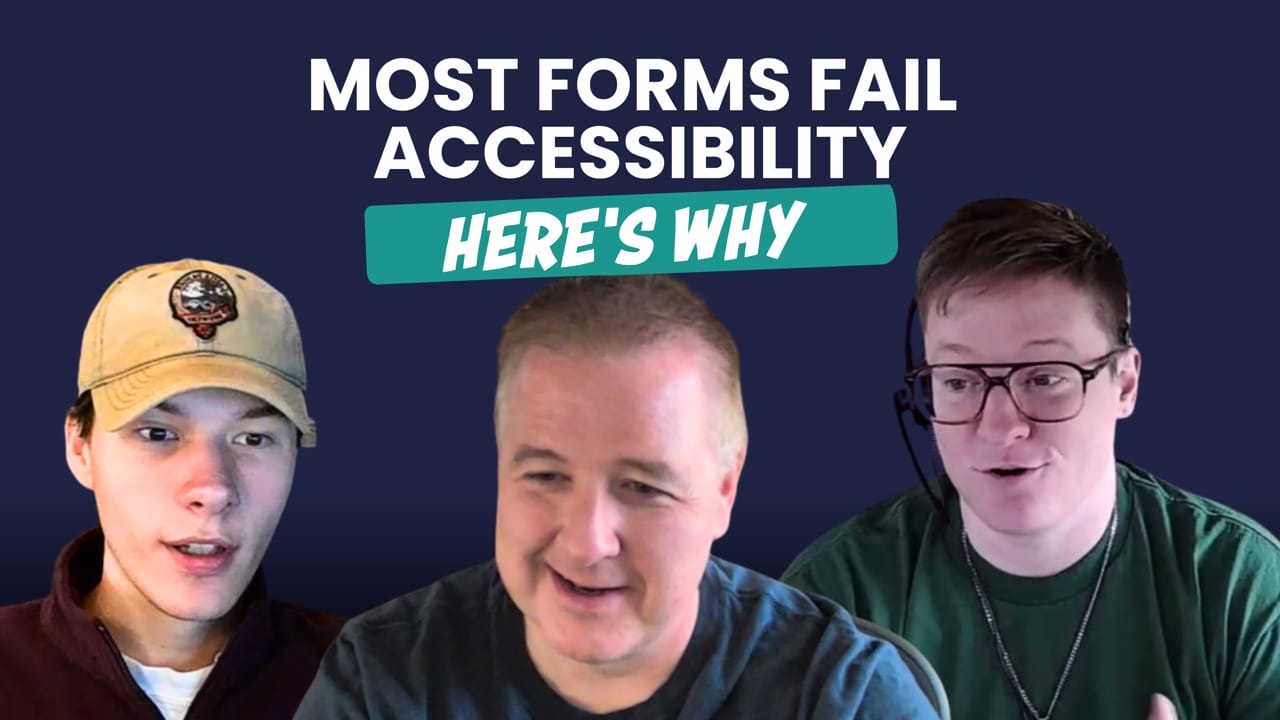
What it really takes to build accessible forms


Show Notes
In the Season 2 finale of Discussing Stupid, Virgil and Cole are joined by Ali Gillberg, a senior developer at High Monkey, to talk about one of the most broken (and misunderstood) parts of UX: form accessibility.
Using a real-world PowerApps project for the Minnesota Office of Accessibility, the team breaks down the invisible complexity of building forms that actually work for all users, including those using screen readers or assistive tech. Spoiler: most “accessible” forms aren’t.
In this episode, they dig into:
- The most common accessibility fails in forms (labeling, tab order, cryptic errors)
- Why Microsoft tools like PowerApps and SharePoint often work against accessibility
- How poor form validation breaks user experience and trust
- What it really takes to make dynamic forms work properly
- The tedious but necessary work behind making forms usable for everyone
Whether you’re designing a public-facing form or managing internal workflows, this episode will change how you think about accessibility, and show why most tools still fall short.
This wraps up Season 2 of Discussing Stupid. We’ll be back in September with new episodes, fresh rants, and more stupid digital decisions to unpack. Thanks for listening!
(0:00) - Intro
(3:13) - The form looks fine… but is it usable?
(4:57) - The false promise of built in accessibility
(6:08) - Inside a real accessible PowerApps build
(10:15) - What screen readers see (that you don't)
(12:12) - The workarounds nobody talks about
(16:33) - Why this problem isn't just Microsoft's fault
(17:38) - Outro
Subscribe for email updates on our website:
https://www.discussingstupid.com/
Watch us on YouTube:
https://www.youtube.com/@discussingstupid
Listen on Apple Podcasts, Spotify, or Soundcloud:
https://open.spotify.com/show/0c47grVFmXk1cco63QioHp?si=87dbb37a4ca441c0
https://soundcloud.com/discussing-stupid
Check Us Out on Socials:
https://www.linkedin.com/company/discussing-stupid
https://www.instagram.com/discussingstupid/
Transcript
ALI 0:06
Like, so normally when you're using a checkbox, if you're using a screen reader, or if you're just using your keyboard, you're supposed to be able to use the spacebar to toggle. But when you use the spacebar to toggle, it just throws you to a random place in the form. So you're just like, kind of lost in no person's land. Like, okay, well, what do I do next? You're listening to Discussing Stupid, a podcast sponsored by High Monkey. Join your host, Virgil Carroll and others as our, podcast helps you transform bad digital experiences into teachable moments you can use.
VIRGIL 0:47
Well, we made it. And if you're listening to this, we're on, the last episode, episode 18 of season two. and I want to thank everybody for joining us during this journey of kind of reinventing and bringing back Discussing Stupid after Many years, this first year has definitely been a lot of, new learning experiences, hopefully a lot of great content for people. but we're looking forward to kicking off, season three, in September and already have a lot of great ideas and a lot of great new topics to go over. but Speaking of episode 18, today's inspiration really comes from accessibility and forms. probably one of the most painful things you can do in the world of accessibility and inclusive design is have accessible forms. and ironically, not only is it difficult to do on your own, but most people rely on third party tools, whether it's something built into your content management system or maybe it's a forms tool itself. And it's amazing how many of these tool organizations that have had tools out there for forms for a really long time, do, a crappy job with this and cause a lot of problems and you end up having to do a lot of modifications just to make it work yourself. So today we're going to talk about a lot of the common problems that people run into with forms and accessibility and some of the ways that you can look to tackle it, from that side. And we're going to be bringing in, another member of our team, Ali Gillberg who has been with me for a long time and she is our residential form expert and gonna bring some great, thoughts and opinions on that. So, again, enjoy the episode, but thank you for joining us for season two and we'll see you next time on, season three, starting in September.
COLE 2:37
I mean, main point of today's episode is just how there's a lot more that goes into the accessibility of forms than like, probably anyone realizes. but we thought that.
VIRGIL 2:48
And we've got a new guest.
COLE 2:51
Yeah, and we do have a new guest. Ali do you want to introduce yourself?
ALI 2:54
Sure. I'm Ali Gilberg. I've been working for High Monkey for over a decade now. and I do the majority of the forms work for the company.
COLE 3:07
Sweet. Yeah. So, speaking of forms, I feel like most people see a form, they think, oh, yeah, this looks clean. It looks, must be fine. Right? But from your perspective as a developer working so much on forms, what are some of these hidden issues that people might not think of that make, forms pretty unusable for a lot of users?
ALI 3:26
Yeah, I mean, I think the biggest one just right off the bat is like trying to figure out what it is that they need to actually fill out. Right. I think the first thing that I think about when I see a form is like, how many of these fields do I. Do I really need to fill out before I can submit this? so like, the beginning upfront work is like, really what do you actually need from people, so that they actually fill it out.
VIRGIL 3:51
It's funny that you say that because, you know, when we talk about accessibility and kind of user experience, you know, it's like how many times you just can't figure out what are actually the required fields. Or you had an org that made every field required, even though they're really not, and just have kind of made a mess of that. but that's equally important for people that are using screen readers not to understand the fields that they actually need to pay attention to.
ALI 4:15
Yep. so like, the labeling and the naming is really huge. So that's more of a content thing. But in the end that's going to be the biggest, the biggest one, right? Like if it says name and they really want first name, or they want your full name or they want your like, legal name. Like, you know, you have to be specific with how you're labeling things, otherwise you'll probably get the whole range. People will just be like, oh, Ali filled this form out and you're like, okay, cool, I have 40 Alis that filled this out. Like, what do I do next? Is this helpful anymore?
VIRGIL 4:46
Well, the good news is since most organizations use, you know, whether it's a content management system or, you know, maybe something like, power apps or Google Forms or something like that, they're using a system that, you know, does kind of all that back end accessibility work for you and there's no problems, right? Oh, yeah, yeah. yeah, I think that's one of the big problems is most of these form packages are kind of crap in that and don't do a very good job of actually meeting the needs of, you know, kind of a diverse audience. And I think that is one of the huge things that we see on a regular basis in that especially. And, and I thought of that when you thought about form labeling and how you, you know, the, the, you know, every form field has to have a form label and not every, you know, there's a lot of modernistic styled type. You know, I mean even Cole, you and I, when we were dealing with the podcast, we had, you know, the subscribe box and it didn't, you know, the form label was ugly and you know, and their default was the form label wasn't there. But the form label has to be there. So what do you do with it in that. And obviously there are strategies behind the scenes if we were just building the form ourself, like you know, using ARIA label and that kind of stuff or aria 4 I guess in that one. but none of those tools make it easy. And that's really a big problem is most modern tool sets for forms crap.
ALI 6:17
Well, right. Modern kind of ends up being synonymous of I don't get to edit any of this. Basically we're stuck in the whatever framework, they have. I mean, you mentioned PowerApps. That's a big one. We had that big project for the Office of Accessibility. So it needed to be truly accessible and we ended up having to touch over 20 settings per field to actually make that be true. whether that's visually or validation,
VIRGIL 6:47
It's not a ridiculous requirement. It's a ridiculous need that you need to set 20 settings and do some advanced coding behind the scenes to make a form truly accessible. And that is definitely a unique, as far as the audience in that and the people working at the agency that actually some people use screen readers that work there and that kind of stuff. So I mean you're talking about very robust testing, and knowing for a fact that you know, the form needs to work well, in that. So I, I think another often overlooked one that is probably to most people is kind of funny and just thinks automatically happens is ah, tab order, you know, and that because, you know, on a screen reader that's how a lot of people are going through it. Well, even from, you know, people that, that aren't using a screen reader, you know, they're tabbing through it. And I can tell you one of the most annoying things there is like when I'm tabbing and all I'm getting is like labels, you know, I'm tabbing through it, I'm going through the label.
ALI 7:47
Four clicks to get to the next actionable field.
VIRGIL 7:50
Yeah. So there's a lot of things you can, you can do there as well.
ALI 7:54
Yeah. And yeah.
COLE 7:57
Oh, sorry, on that obvious of accessibility. Gosh, I cannot speak right now on that project. What are some of the issues that you like thought you were going to run into? and did those come up or were you kind of met with more surprises in that project?
ALI 8:12
I think, you know, I was expecting to have to do a decent amount of like customizing for that mostly because, not only did we have to you know, just use PowerApps, which like I said, we needed to touch a lot of the settings to be able to make just the out of the box fields work the way we were expecting, but we also had the added requirement of being able to save it without validation and save it with validation. So we even had to go away from just the standard like having things marked as required or not within the form. so all of that had to be custom, which was definitely kind of a huge, a huge piece. I also definitely wasn't expecting the out of the box, even with modern fields to take so much work to be even just like responsive for like page sizes, or zooming. That was probably one of the bigger things that we ended up having to touch more settings for. because everything comes set. If you make a Power Apps form, it comes and everything is at 1200 width, like just a set width. So you have to go in and put width of the viewport or like you have to change that to match the width of the whole actual form itself instead of having that set pixel because that was just like ugly when you go to reset anything and then just like, oh, you can't see any of the text anymore because it went and it's all past the. Just like that seems like a really easy thing to make that HTML work better. But again we don't get to touch that HTML when we're in the PowerApps form. We just have the settings to work with, so.
VIRGIL 9:56
well, I mean even on website, most of those form builders don't allow you really to do a lot with the HTML. And I think another ironic part when you look at that from an accessibility standpoint, I mean if you really understand the fundamentals of screen readers and tools like that is they're basically, they're going through the code of the site, you know, versus the visual side of it. And know, a lot of these builders not only do that, they add a lot of extraneous code, you know, a lot of extra stuff in there. And so there could be one field, but that field could be five divs buried inside one another, inside another, six spans. And, you know, that kind of stuff. And sometimes it's ridiculous, which is why with forms, forms tend to be, I think, for most organizations, our biggest failure, in the world of wcag, accessibility, because they tend to just use what's out of the box and it tends to never work. Right. but on top of that, I think that, they don't really understand, you know, how important. That's why I go back to, like, that tab order and how that kind of stuff works, that they can use those type of mechanisms to be able to get to the things they actually need on a form. It's not just about getting to the form fields in the right order. It's about actually being able to, see the correct stuff. Because so many of these form tools, add so much extra crap in there that they don't need to pay attention to. So I think, you know, where I've seen a lot of people be like, well, yeah, tab order is a nice thing to have and that kind of stuff. There's actually a definitive purpose for that. you know, it's just like an HTML being able to follow the header structure and that kind of stuff, which is definitive purpose. Otherwise, somebody that is using that kind of technology, assistive technology, has to sit there and go through a bunch of stuff that they don't care about because your page is not properly structured. The same thing with your form.
ALI 11:48
Yeah. I mean, even when you're going through validation, one of the weird ones with this was, the, like, required asterisk is not something that you can have in, like, you can have it in your accessibility label, but it's like the actual one that pops up when you put it as required. It doesn't show up in any screen readers, or anything like that. So we had to go completely away from using that. and then also just like different field types. So, you know, you're like, oh, I want to use a checkbox and a dropdown and a long text and a short text. We actually found that the, like, the checkbox is not very accessible within PowerApps. That was one of the ones that we actually brought all the way to their accessibility folks.
VIRGIL 12:28
Microsoft, you're saying?
ALI 12:31
Yeah. And they Were like, oh, that's weird. Like, so normally when you're using, a checkbox, if you're using a screen reader or if you're just using your keyboard, it's. You're supposed to be able to use the spacebar to toggle. but when you use the spacebar to toggle, it just throws you to a random place in the form. It does toggle from yes to no or no to yes, but then it also just throws you somewhere else. So you're just like, kind of lost in no person's land. Like, okay, well, what do I do next?
VIRGIL 13:02
You think about that as date pickers. You know, date pickers are big problems for that. Yeah. You have to have an alternate way for them to be able to do dates besides using a picker. And how many forms do you know out there that really the only way to add the date is to pick it, you know, to use a picker and that kind of stuff.
ALI 13:21
That one actually did pretty well with our testing, which was a surprise. So they spent a lot of time on that.
VIRGIL 13:26
Yeah, I've seen a lot in the web space, though, on that one, where a lot of them have issues and they just don't work well. Yep.
COLE 13:33
Wait, what'd you do for the, the alternative to the asterisks in that. In that situation?
ALI 13:38
So what we ended up doing was actually, just kind of changing the format of our labels. So we had the asterisk included in the label and actually had it say, like, required on all of them. And then when the validation was essentially pinged on that, we had it so that it's. It sort of changed that text, which the screen readers did pick up. That it was. That was different. so it was like, basically it said required at the end or required at the beginning, so that when you were going through, you could just look for the ones or listen for the ones that had required at the beginning instead. That was where we sort of where we landed. It's not perfect per se, but, it met the requirements that,
VIRGIL 14:19
How did that work for Validation? So if they filled out the form, but then it wasn't complete and now they needed to jump back. I know that was another part of those forms. And another thing we don't necessarily think of from forms, especially in long forms, is what happens. I mean, even, you know, people that are using just a web browser, if I'm in a long form. And that form, you know, field way up here is the one that actually, I didn't fill out correctly or I didn't meet some kind of validation error. But I know from an accessibility standpoint, we found a lot more challenges around that.
ALI 14:53
Yeah, even just not from an accessibility standpoint, with power apps out of the box, the set focus, which is the thing that actually scrolls you, up to where you want to go, only works on text fields. Basically. It works on buttons as well, but you don't want to have just a bunch of buttons everywhere for that. we ended up having to put in hidden text fields, that had a label that said Tab to fix this error, because it was just one tab order away from the one we actually wanted it to fix, when it was like dropdowns or, other options. So the majority of this form is dropdowns or text fields, but lots of dropdowns. So basically 50% of the form, we had to do that workaround with them. So again, it's not perfect, but it does scroll you up to it and it does gives you the label that says Tab to fix the one that's broken. So you could actually get there without having to, visually see it or, you know, just guessing about which ones are wrong.
VIRGIL 15:54
We always look at things and kind of say where there's a will and there's a way. But the reality is, I mean, you know, and I'm not just going to pick on Microsoft. I'm going to look at almost any form builder I've ever used. They all fall down. I mean, you know, some of this should fall on them. And I know part of that reason was we need to get, to get a project, you know, project done. And Microsoft that was just too big of a change or anything that they could do, you know, at that point. But you would think that, you know, in today's world they would care about that. So. But sometimes you're gonna have to do some advanced things on your own. So, you know, I think the nice thing about this is, is, you know, people think about, you know, they probably know about the labeling, they know kind of about the standards that you get when you use some kind of tool to do testing. But there's so much more to it when you're dealing with, like, functional, activities, especially versus just reading a webpage, that is into the accessibility side. So I think all that information is great. And, you know, anybody that listens is going to have a lot of good ideas from that.
COLE 16:59
Speaking of good ideas, a, good idea would be to like and subscribe and comment and share this podcast and that so yeah.
VIRGIL 17:09
Well, that's it. Season two is now officially in the bag. We made it here and, we're done. So looking forward to episode or episode three, Season three coming out in September. And I guarantee you we're gonna have Ali back again in that, but nice way to end the season with a bang.
ALI 17:29
Yeah. Thanks for. Thanks for having me join.
COLE 17:35
Thanks, Ali.
VIRGIL 17:38
Just a reminder, we'll be dropping new episodes every two weeks. If you enjoyed the discussion today, we would appreciate it if you hit the like button and leave us a review or comment below. And to listen to past episodes or be notified when future episodes are released, visit our website at www.discussingstupid.com and sign up for our email updates. Not only will we share when each new episode drops, but also we'll be including a ton of good content to help you you in discussing stupid in your own organization. Of course, you can also follow us on YouTube, Apple Podcasts, Spotify, or SoundCloud, or really any of the other favorite podcast platforms you might use. Thanks again for joining and we'll see you next time.
Latest Episodes
The new WCAG 2.2 rules you're already breaking (part 2)

The new WCAG 2.2 rules you're already breaking (part 1)
Season 4: The Teaser
Sign up for Discussing Stupid updates
Get the latest Discussing Stupid episodes, expert insights, and exclusive content- straight to your inbox